


Description
What You Get
- The complete Excel 2026 – Intermediate course on one USB drive
- 45 video lessons in 11 modules
- Works on Windows PC and Mac
- Plays offline: no internet needed to watch the lessons on the USB
- Online access included
- One-time purchase. No monthly fee. Yours to keep.
- Ships within 1-2 business days. $8.95 flat-rate shipping in the US, $15.00 to Canada. Shipping details
- 30-Day Money-Back Guarantee
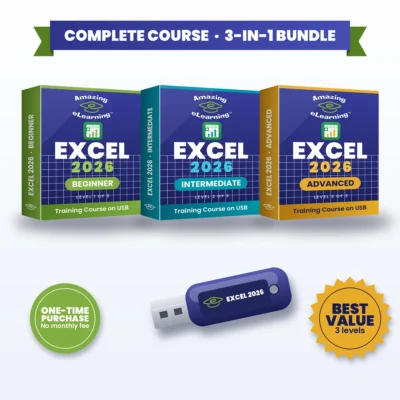
Want all three levels? Get the Excel 2026 Complete 3-in-1 Bundle for $69.95 and save $34.90.
Trusted since 2005 · 9,000+ items sold · 100% positive eBay feedback · See our eBay reviews
Excel 2026 – Intermediate: Practical Data Analysis Tools in Excel 365, on USB
The Excel 365 Intermediate course builds on your foundational skills and takes you into the practical tools used for real-world data analysis. You’ll learn how to manage structured data, apply advanced sorting and filtering, validate and control inputs, import and clean external data, and create meaningful charts. The course also introduces PivotTables, lookups and techniques for working with larger datasets, giving you the confidence to analyze information faster and more accurately.
Why You’ll Love It
- One-time purchase. No monthly fee. No subscription. Yours to keep.
- Practical tools used for real-world data analysis
- 11 modules, from structured data to PivotTables and lookups
- Helps you analyze information faster and more accurately
- The complete course on a USB drive
What You’ll Learn
- Working confidently with structured data and Excel Tables
- Sorting, filtering and applying advanced data criteria
- Database-style functions: DSUM, DAVERAGE, DCOUNT and SUBTOTAL
- Using Data Validation to control input and improve accuracy
- Importing and cleaning data with modern Excel tools: text, CSV and Access files, plus exporting to text files
- Creating clear, professional charts
- Building and customizing PivotTables and PivotCharts, including slicers
- Managing large datasets with grouping and consolidation
- Using lookups (VLOOKUP, HLOOKUP, INDEX + MATCH and XLOOKUP)
- FV, PMT, hyperlinks and Text to Columns
What’s Inside
Module 1 – Getting Started
- Microsoft Excel 365 Overview
- Essential Keyboard Shortcuts
Module 2 – Working With Structured Data
- What are Lists
- Sorting a List
- Advanced Multi-Level Sorting
- Custom Sort Options
- Filtering Data
- Converting Lists to Tables
Module 3 – Database-Style Functions
- Introduction to Database Functions
- DSUM
- DSUM with Single Criteria
- DSUM with Multiple Criteria
- DAVERAGE
- DCOUNT
- SUBTOTAL
Module 4 – Data Validation & Entry Control
- Dropdown Lists
- Decimal & Numeric Rules
- Input & Error Alerts
Module 5 – Importing & Exporting Data
- Importing Text & CSV Files
- Importing Data from Access and Other Sources
- Exporting Data to Text Files
Module 6 – Creating Charts
- Building Basic Charts
- Chart Tools & Ribbon
- Editing Chart Data
- Chart Formatting
Module 7 – PivotTables & PivotCharts
- Understanding PivotTables
- Creating PivotTables
- Pivot Calculations
- Grouping Data
- Formatting PivotTables
- Drill-Down Analysis
- PivotCharts
- Filtering PivotTable Data
- PivotTable and Slicers
Module 8 – Managing Large Datasets
- Grouping Rows and Columns
- Data Consolidation
Module 9 – Lookup & Reference Functions
- VLOOKUP
- HLOOKUP
- INDEX & MATCH
- XLOOKUP
Module 10 – Additional Functions & Tools
- FV (Future Value)
- PMT
- Hyperlinks
- Text to Columns
Module 11 – Wrapping Up
- Conclusion & Next Steps
Who It’s For
- Excel users who have the foundational skills and want to move into data analysis
- People who work with lists, tables and larger datasets
- Anyone who wants to build reports with charts, PivotTables and lookups
Frequently Asked Questions
Is this right for me?
Yes, if you already have foundational Excel skills. If you’re new to Excel, start with Excel 2026 – Beginner or get the Complete 3-in-1 Bundle.
Is there a monthly fee or subscription?
No. It’s a one-time purchase with no monthly fee. The USB is yours to keep.
Does it include Microsoft Excel?
No. This is a training course. Microsoft Excel (Microsoft 365) is sold separately by Microsoft.
Which level should I choose?
Beginner if you’re new to Excel. Intermediate if you already have the foundational skills and want to analyze data. Advanced if you’re an experienced user who builds structured, reliable workbooks. Want all three? The Complete 3-in-1 Bundle saves $34.90.



Reviews
There are no reviews yet.