

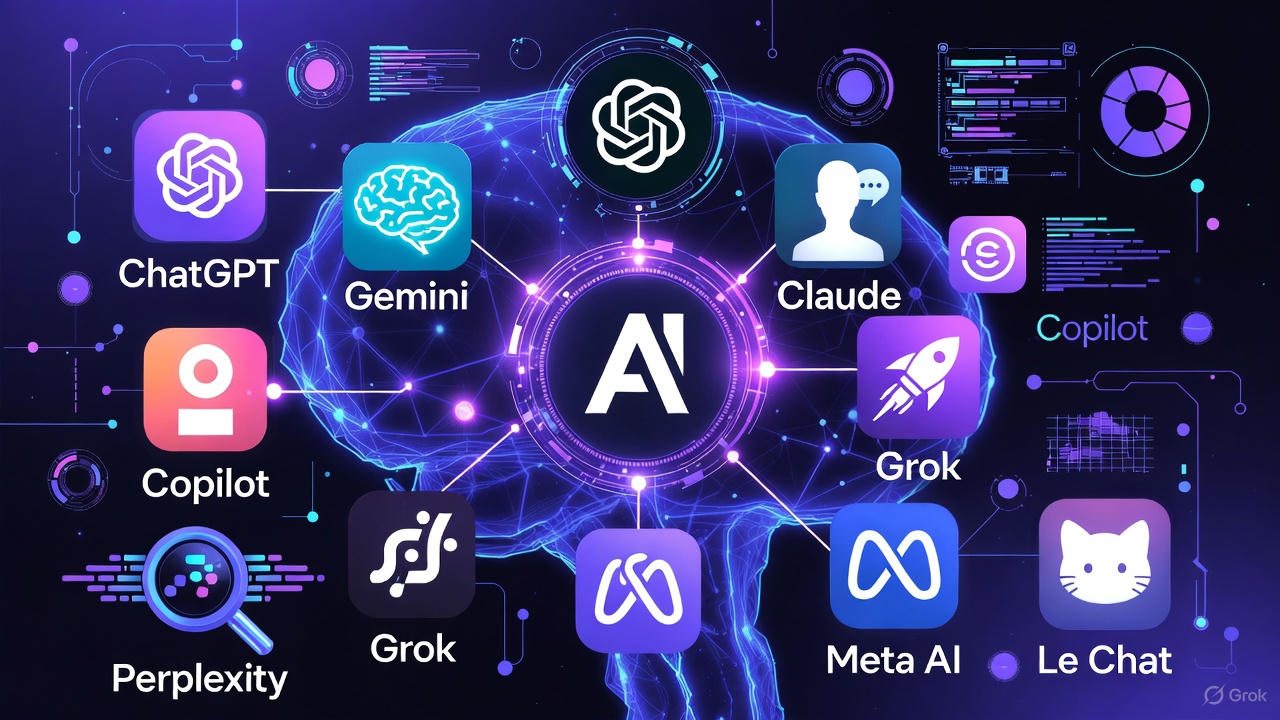
There are only a handful of AI tools most people will ever need, but each one is sold under a different name, with a different model behind it, and the names change every few months. This guide untangles them: who makes each one, what it is best at, what you can use for free, and what the paid plan costs — so you can pick one and start, instead of comparing forever.
Not sure which AI to use? Try our free AI picker — answer two quick questions and get the right tool for the job.
Last checked: November 13, 2026. Model names and prices change often, so check the official page of any tool before you pay for it.
What is an “AI model”?
An AI model is the engine inside the chatbot. When you type a question into ChatGPT, Claude, or Gemini, a model does the work of turning your words into an answer. You never see the model directly — you meet it through the app or website wrapped around it.
Three things are worth knowing about models, and none of them need jargon:
- Newer is usually better, but not always worth paying for. Each company releases a new version every few months. The newest version is the smartest, but the free version of the same tool is usually last month’s model — and for everyday jobs like drafting an email or explaining a bill, last month’s model is plenty.
- The same model can appear in several places. Microsoft’s Copilot runs on OpenAI’s technology, and Perplexity lets you pick between models from several companies. The brand on the box is not always the company that built the engine.
- “Open” models are free to download. A few models — Meta’s Llama 4, Google’s Gemma, DeepSeek — can be downloaded and run by anyone. You almost certainly do not need to do that. What matters for you is that they exist, they are free, and you can try them through free apps and websites without installing anything.
That is all the background you need. The rest of this guide is the tools themselves.
The major AI tools, side by side
All eight below have a free version. For learning and everyday jobs, free is enough — pay only if you hit a limit every week doing the same kind of work.
| Tool | Made by | Free version | Best for | Paid plan from |
|---|---|---|---|---|
| ChatGPT | OpenAI | Free, with unlimited everyday text chat | The all-rounder: writing, questions, ideas, images | $8/mo (Go) |
| Claude | Anthropic | Free, with limits on how much you can use it | Long writing and careful editing | $20/mo (Pro) |
| Gemini | Free with a Google account | Handy if you already use Gmail, Docs, or Drive | $4.99/mo (AI Plus) | |
| Copilot | Microsoft | Free on the web, in Edge, and in the app | Handy if you use Windows or Microsoft 365 | $9.99/mo (Microsoft 365) |
| Grok | xAI | Free on grok.com and inside X, with limits | Live news and what people are saying right now | $8/mo (Plus) |
| Perplexity | Perplexity AI | Free, with sources on every answer | Checking facts and researching a topic | $20/mo (Pro) |
| Meta AI | Meta | Free in the Meta AI app, WhatsApp, Facebook, and Instagram | Quick questions where you already chat | Free |
| Open models | Meta, Google, DeepSeek, Alibaba | Free to try online | Tinkerers, and anyone who wants no account tied to a big platform | Free |
ChatGPT (OpenAI)
ChatGPT is the one most people have heard of, and still the best place to start. The current models are the GPT-5 family, and the free version covers unlimited everyday text chat — writing, explaining, planning, and brainstorming. It also makes images and can talk back by voice.
ChatGPT is the all-rounder. It is rarely the single best tool at any one job, but it is good at all of them, which is what a beginner needs. If you only try one tool from this list, try this one.
Paid plans: Go is $8 a month and Plus is $20 a month. Both raise the usage limits and unlock the newest models sooner. Start free; pay only when the free version stops you mid-task more than once a week.
Try it at chatgpt.com.
Claude (Anthropic)
Claude is the careful writer of the group. The current model is Claude Sonnet 5.5, and it is strongest at long writing, editing, and working through a long document — the kind of job where you paste in ten pages and ask for a summary or a rewrite. It is also the favourite of many programmers for writing and fixing code.
The free version has limits on how much you can use it in a day, and it has no built-in web search on the free tier, so it is weaker than the others for questions about today’s news. For drafting and thinking, it is excellent.
Paid plan: Pro is $20 a month, with much higher limits. If you write for a living — reports, letters, applications — Claude is the paid plan most worth trying first.
Try it at claude.ai.
Gemini (Google)
Gemini is Google’s chatbot, and its biggest advantage is that it lives where Google users already are: Gmail, Docs, Drive, and Search. Ask it to summarise a long email thread, or to turn a document into a study guide, and it can work directly with your files.
The free version costs nothing with a Google account, but note a change from October 2026: free users now get Gemini’s smallest model, Flash-Lite, for quick answers and short drafts. The bigger models are on the paid plans. Gemini’s current flagship family is Gemini 4, and the free plan still covers image generation and research reports.
Paid plans: Google AI Plus is $4.99 a month and AI Pro is $19.99 a month, which restores the full model range. If you already pay for Google storage, check whether a Google AI plan is bundled in before paying twice.
Try it at gemini.google.com.
Copilot (Microsoft)
Copilot is Microsoft’s chatbot, and it runs on OpenAI’s technology — so its answers feel familiar if you have used ChatGPT. The free version works on the web, in the Edge browser, and in the Copilot app, with no subscription needed.
Copilot’s real strength is inside Microsoft’s apps. If you use Windows, Word, Excel, or Outlook, Copilot can draft a document, summarise an inbox, or explain a spreadsheet in place. That version needs a Microsoft 365 plan, from $9.99 a month. For everyone else, the free web version is the one to try.
Try it at copilot.microsoft.com.
Grok (xAI)
Grok is the chatbot from xAI, and its edge is live information. It searches the web and X as it answers, so it is the best of this list for “what happened today?” — breaking news, sports scores, and what people are saying right now. It also makes images and has a voice mode on its apps.
The free version is available on grok.com and inside X, with usage limits. One correction worth making: Grok is built by xAI. It is not built by us, and this site is not connected to xAI — an error in the old version of this article.
Paid plans: Plus is $8 a month and Premium is $30 a month. Premium adds four times the usage and Grok Bot, xAI’s agent that can keep working on a task while you are away. For most people, the free version is enough to find out whether Grok’s live answers earn a place in your routine.
Try it at grok.com.
Perplexity (Perplexity AI)
Perplexity is different from the rest: it is a search engine with a chatbot attached, rather than a chatbot with search attached. Every answer comes with its sources listed, so you can click through and check. That makes it the best tool on this list for anything where being right matters — prices, dates, medical or legal questions, homework.
The free version gives you practically unlimited basic searches, plus 3 deeper Pro searches a day and one research report a month. You can also choose which company’s model answers you on the paid plan — including Claude, GPT, Gemini, and Grok models — which makes it a cheap way to try several models under one roof.
Paid plan: Pro is $20 a month, or $200 a year. Pay for it only if you research things for a living, or if you want the model picker and the higher limits.
Try it at perplexity.ai.
Meta AI and Muse (Meta)
Meta AI is the chatbot built into WhatsApp, Facebook, Instagram, and the Meta AI app. If you already use those apps, it is the easiest AI to reach — no new account, no new app. It answers questions, makes images, and can talk by voice.
Behind it sits Meta’s own model family. Meta’s newest work is the Muse family — check meta.ai for the current name. Its best-known open models are still the Llama 4 family (see below). For everyday use, the distinction does not matter: open the app you already have, and Meta AI is there.
Try it at meta.ai.
The open models: Llama 4, Gemma, DeepSeek, and Qwen
Open models are the ones anyone can download and run. You do not need to run them yourself — but knowing their names stops the confusion when they show up inside other tools.
- Llama 4 (Meta). Two versions: Scout and Maverick. Both use 17 billion active parameters — the part of the model that actually works on your question — drawn from a much larger total (109 billion for Scout, 400 billion for Maverick). Scout is the long-memory one: it can hold up to 10 million tokens of context, roughly a whole library, in one conversation. They are free to download under Meta’s Llama 4 Community License, which is not the same as a standard open-source license: very large companies need a separate agreement. Try them free inside the Meta AI app.
- Gemma (Google). Google’s open model family, currently Gemma 4. Do not confuse it with Gemini: Gemma is a separate, smaller, downloadable model, while Gemini is Google’s flagship chatbot. Gemma is for builders; Gemini is for everyone.
- DeepSeek (DeepSeek). A Chinese lab whose open models made headlines by matching far more expensive rivals at a fraction of the training cost. You can chat with them free at chat.deepseek.com, with no download needed.
- Qwen (Alibaba). Another strong open family, particularly good at coding and maths, and at languages beyond English. Like the others, you can try it free through chat websites and developer playgrounds rather than installing anything.
The honest summary for most readers: open models are free, good, and getting better — and the easiest way to benefit from them is through the free apps above, not by running them yourself.
How to choose
You do not need to compare all eight. Answer three questions:
- Where do you already live online? Google user: Gemini. Microsoft user: Copilot. Already on WhatsApp or Facebook all day: Meta AI. No strong ties: ChatGPT.
- What is the job? Writing and editing: Claude. Checking facts: Perplexity. Today’s news: Grok. A bit of everything: ChatGPT.
- What does it cost? Nothing, to start. Every tool above has a free version, and the cheapest paid step anywhere on this list is $8 a month. Do not pay for two tools that do the same job — pick one, use it for a month, and only then decide whether its paid plan is worth it.
Still undecided? Use the free picker on this site: answer two quick questions and it points you to the right tool for your job — Which AI Should I Use?
Where to learn next
- New to AI entirely? Start with What Is AI? A Beginner’s Guide to Artificial Intelligence — what AI is, how it learns, and a safe 10-minute first try.
- Learn to ask better questions. Three small habits change the answers you get. See 3 Simple Prompting Habits That Transform Your ChatGPT Answers.
- Understand agents. When you are ready for tools that do jobs instead of just answering, read What Are AI Agents? and Which AI Agent Should You Try First?
Your next step takes two minutes: answer two quick questions in the free AI picker and try the tool it suggests.
Dante Chu is the founder of Amazing eLearning, where he teaches practical AI, Excel, and online learning skills. He has spent 20 years building interactive learning tools, from Flash courses to AI-powered apps.

Leave a Reply