
🔗 JOIN OUR FREE AI COMMUNITY
Get every prompt and the setup files used in this tutorial:
https://links.stayingahead.com/YT53
━━━━━━━━━━━━━━━━━━━━
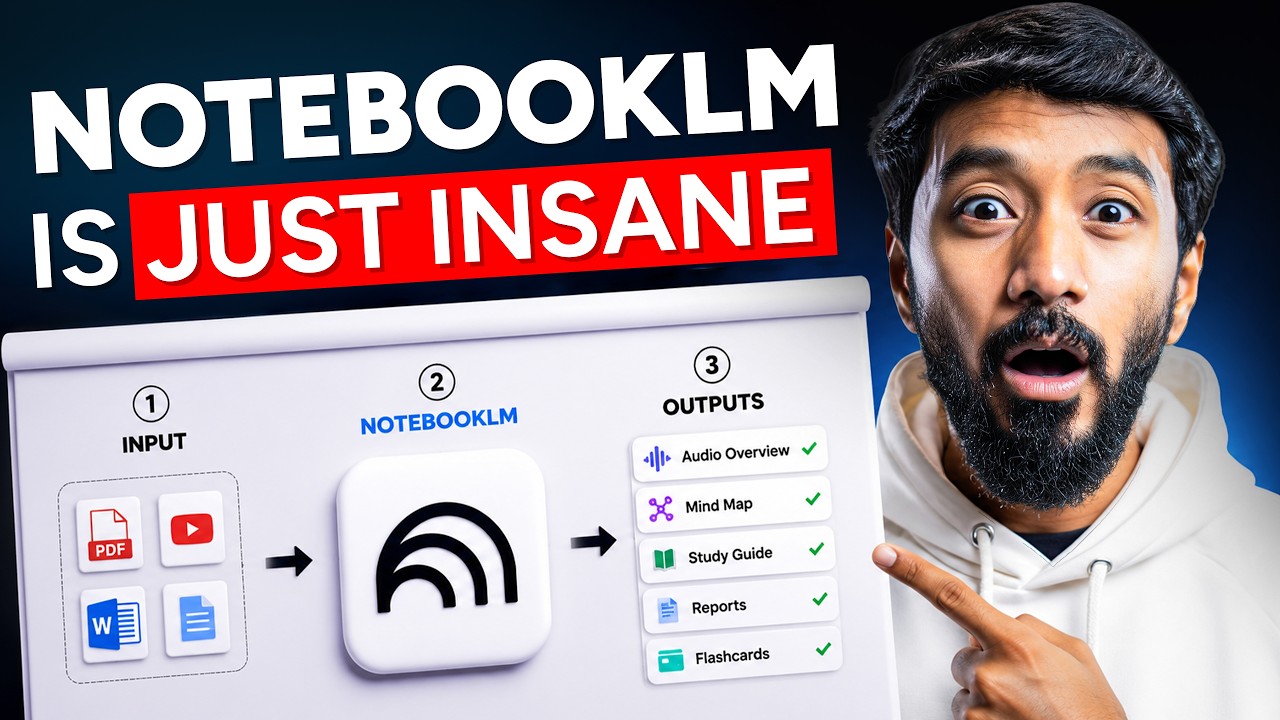
Master Google NotebookLM with 13 practical workflows that take you from beginner to advanced user.
In this step-by-step NotebookLM tutorial, you will learn how to research the web, import websites and YouTube videos, ask source-grounded questions, verify answers through inline citations, and turn the same sources into podcasts, videos, slide decks, infographics, flashcards, quizzes, reports, mind maps, and data tables.
You will also see how to turn a creator’s YouTube channel into a private AI mentor, generate short learning videos, clean messy spreadsheet data, and connect NotebookLM with Claude to create an AI-powered second-brain workflow.
Many NotebookLM features are available free, but access, limits, and availability can vary by account, region, device, and Google AI plan. Review any third-party connector and the permissions it requests before connecting it to Claude or private notebooks.
━━━━━━━━━━━━━━━━━━━━
📌 WHAT YOU’LL LEARN
– How to create a NotebookLM notebook and add sources
– Fast Research vs Deep Research
– How NotebookLM grounds answers in your selected sources
– How to verify claims using inline citations
– How to customize chat goals, style, and answer length
– How to generate Audio and Video Overviews
– How to create slide decks and export them
– How to generate infographics, flashcards, quizzes, and data tables
– How to export structured data to Google Sheets
– How to turn a YouTube channel into a private AI tutor
– How to generate short learning videos from your sources
– How NotebookLM can clean and analyze messy data
– How to connect NotebookLM with Claude as a second brain
━━━━━━━━━━━━━━━━━━━━
💡 WHAT IS GOOGLE NOTEBOOKLM?
NotebookLM is Google’s AI-powered research assistant. It can work with PDFs, websites, public YouTube videos with captions, audio, Google Drive files, and other supported sources.
Unlike a general chatbot response, NotebookLM answers from the sources in your notebook and provides inline citations so you can inspect where information came from.
━━━━━━━━━━━━━━━━━━━━
⏱️ CHAPTERS
00:00 The Google AI tool most people overlook
00:59 What NotebookLM can do now
01:33 Create a notebook and add sources
01:56 Fast Research vs Deep Research
02:37 Verify answers with inline citations
03:42 Customize NotebookLM chat responses
04:12 Turn your sources into multiple formats
04:44 Create Audio and Video Overviews
05:46 Generate and export a 25-slide deck
06:26 Create a LinkedIn infographic
06:59 Generate flashcards and quizzes
07:40 Build a data table and export to Sheets
08:17 Turn a creator into your private AI mentor
09:52 Generate short learning videos
11:49 Clean messy spreadsheet data with AI
13:12 Connect NotebookLM with Claude
14:39 Recap and free courses
━━━━━━━━━━━━━━━━━━━━
📺 WATCH NEXT
Claude Code Complete Mastery Guide:
8 Free Google AI Tools Masterclass:
━━━━━━━━━━━━━━━━━━━━
FOLLOW VAIBHAV SISINTY
Instagram:
https://www.instagram.com/vaibhavsisinty
X / Twitter:
Facebook:
https://www.facebook.com/vaibhavsisinty/
LinkedIn:
https://www.linkedin.com/in/vaibhavsisinty
━━━━━━━━━━━━━━━━━━━━
⚠️ DISCLAIMER
🤖 This video was created with the assistance of AI tools. The script, voiceover, visuals and some editing elements were generated or enhanced using AI, with human oversight applied to fact-check and structure the content.
🔄 AI moves fast, so accuracy, pricing and availability of the tools mentioned may change after the time of recording. Always verify details from official sources.
📚 This content is educational and informational only. It is not financial, legal, medical or professional advice. Do your own research before making decisions based on anything discussed here.
™️ All names, brands and products referenced are used for informational purposes only and remain the property of their respective owners.
✅ Stay critical, stay curious, and use AI responsibly.
#NotebookLM #GoogleAI #ClaudeAI
source

Leave a Reply