


Description
What You Get
- The complete Excel 2026 – Advanced course on one USB drive
- 35 video lessons in 8 sections
- Works on Windows PC and Mac
- Plays offline: no internet needed to watch the lessons on the USB
- Online access included
- One-time purchase. No monthly fee. Yours to keep.
- Ships within 1-2 business days. $8.95 flat-rate shipping in the US, $15.00 to Canada. Shipping details
- 30-Day Money-Back Guarantee
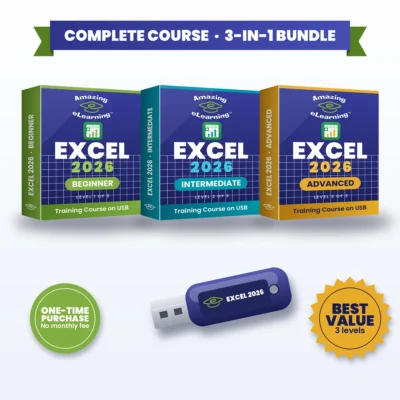
Want all three levels? Get the Excel 2026 Complete 3-in-1 Bundle for $69.95 and save $34.90.
Trusted since 2005 · 9,000+ items sold · 100% positive eBay feedback · See our eBay reviews
Excel 2026 – Advanced: Smarter Excel Formulas for Modern Work, on USB
This Excel Advanced course is designed for experienced users who want to build structured, scalable and reliable spreadsheet solutions. It focuses on advanced workbook design, working across multiple files, auditing and tracing complex formulas, monitoring key values, and applying protection and encryption to secure business-critical data. You’ll master conditional logic, advanced lookup methods, error handling, date calculations and text-based functions, while using dynamic references and What-If tools such as Goal Seek, Data Tables, Scenarios and Solver. By the end of the course, you’ll be able to create Excel models that function like lightweight applications, reducing manual effort and supporting confident, data-driven decision-making.
Why You’ll Love It
- One-time purchase. No monthly fee. No subscription. Yours to keep.
- Build Excel models that work like lightweight applications
- Reduce manual effort and support confident, data-driven decisions
- 35 lessons in 8 sections, including a bonus Dashboard Preview
- The complete course on a USB drive
What You’ll Learn
- Designing structured, scalable and error-resistant workbooks
- Auditing: tracing precedents and dependents, the Watch Window and Show Formulas
- Protecting worksheets and workbooks with passwords and controlled access
- Advanced conditional formulas: named ranges, IF, IF AND, IF OR, nested formulas, COUNTIF(S) and SUMIF(S)
- Advanced lookup techniques: VLOOKUP, XLOOKUP and INDEX + MATCH
- Handling errors with IFERROR and ISERROR
- Working with dates, text functions (LEFT, RIGHT, MID, SEARCH, REPLACE, SUBSTITUTE) and dynamic references with INDIRECT
- What-If tools: Goal Seek, Data Tables, Scenarios and Solver
What’s Inside
Section 1 – Getting Started
- Lesson 1 – Introduction
- Lesson 2 – Advanced Keyboard Shortcuts
Section 2 – Working With Multiple Workbooks
- Lesson 3 – Tracing Precedents
- Lesson 4 – Tracing Dependents
- Lesson 5 – Watch Window
- Lesson 6 – Show Formulas
Section 3 – Protecting Worksheets and Workbooks
- Lesson 7 – Protecting Cells in a Worksheet
- Lesson 8 – Protecting the Workbook Structure
- Lesson 9 – Encryption with Passwords
Section 4 – Conditional Formulas
- Lesson 10 – Name Ranges
- Lesson 11 – Simple IF Function
- Lesson 12 – IF AND
- Lesson 13 – IF OR
- Lesson 14 – Nested Formulas
- Lesson 15 – CountIF and CountIFs
- Lesson 16 – SumIF and SumIFs
Section 5 – Advanced Functions
- Lesson 17 – Advanced VLookUp
- Lesson 18 – Advanced XLookUp
- Lesson 19 – Advanced Index and Match
- Lesson 20 – IF and IS Error – Part 1
- Lesson 21 – IF and IS Error – Part 2
- Lesson 22 – Dates – Part 1
- Lesson 23 – Dates – Part 2
- Lesson 24 – Replace and Substitute – Part 1
- Lesson 25 – Replace and Substitute – Part 2
Section 6 – Text Based Functions
- Lesson 26 – Left, Right and Mid
- Lesson 27 – Search Function
- Lesson 28 – Concatenate and Search
- Lesson 29 – Indirect – Static
- Lesson 30 – Indirect – Dynamic
Section 7 – What IF Tools
- Lesson 31 – Goal Seek
- Lesson 32 – Data Tables
- Lesson 33 – Scenarios
- Lesson 34 – Solver
Section 8 – Bonus – Dashboard Preview
- Lesson 35 – Dashboard Preview
Who It’s For
- Experienced Excel users who want to build structured, scalable and reliable spreadsheet solutions
- People who review inherited spreadsheets or work across multiple files
- Anyone who builds models for targets, pricing or planning decisions
Frequently Asked Questions
Is this right for me?
It’s designed for experienced Excel users. If you’re still building your skills, start with Excel 2026 – Intermediate or get the Complete 3-in-1 Bundle.
Is there a monthly fee or subscription?
No. It’s a one-time purchase with no monthly fee. The USB is yours to keep.
Does it include Microsoft Excel?
No. This is a training course. Microsoft Excel (Microsoft 365) is sold separately by Microsoft.
Which level should I choose?
Beginner if you’re new to Excel. Intermediate if you already have the foundational skills and want to analyze data. Advanced if you’re an experienced user who builds structured, reliable workbooks. Want all three? The Complete 3-in-1 Bundle saves $34.90.



Reviews
There are no reviews yet.