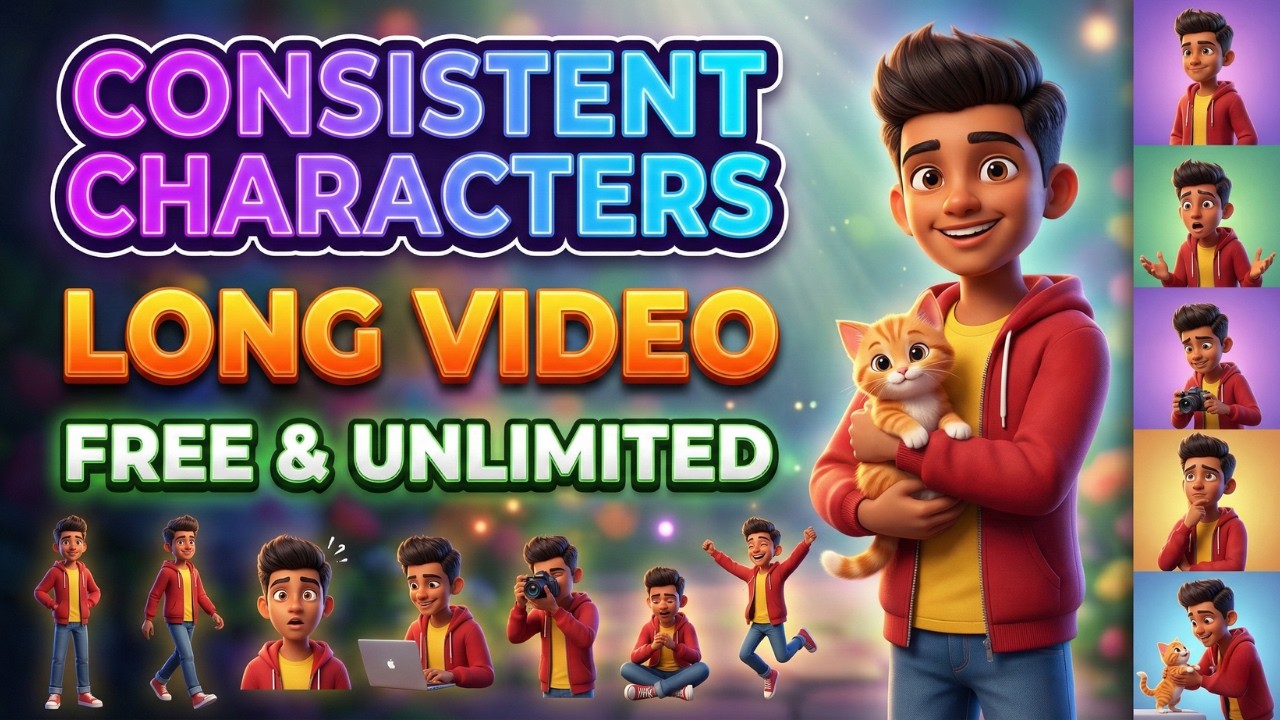
Make Full 3D Cartoon Animation with FREE AI Tools 🔥 Consistent Characters + Auto Workflow
In this tutorial, I’m breaking down a complete automation workflow that helps you produce professional faceless AI story videos in minutes — with consistent characters and smooth, cinematic camera motion already handled for you.
You’ll learn how to generate dozens of Disney-Pixar–style scenes in bulk using free tools, so you can focus more on storytelling instead of manual editing.
Whether you’re building a faceless YouTube channel, creating AI animations, or experimenting with short story films, this method can seriously speed up your production process and improve quality at the same time.
Make sure you watch till the end, because I’ll walk through the entire pipeline step-by-step in a simple, beginner-friendly way.
Prompts–
◉ Story Prompt: Act as an experienced children’s author and write a motivational story with an approximate duration of two minutes. The story must revolve around human characters, include a clear and engaging title, contain no dialogue, and incorporate an animal naturally within the narrative.
◉ Character Prompt: Using the story, create a complete text-to-image prompt describing the characters. Each prompt must feature a clean white background and follow a Disney-Pixar animation style.
◉ Scene Prompt: As a children’s animation director, develop a 20-scene script in the following structure:
Scene: {scene number}
Narration: {exact story text}
Image Prompt: {detailed Disney-Pixar style text-to-image description}
◉ Output Instruction: Provide only the image prompts as the final output. Separate each prompt with two blank lines, and do not include the words “Image Prompt” anywhere in the response.
◉ Camera Prompt: Generate a suitable cinematic camera movement description for every shot, optimized for Grok video generation.
◉ Voiceover Script: Now provide only the narrations
◉ Voiceover Instruction: Narrate the text in a warm, friendly, child-appropriate storytelling tone suitable for young audiences.
Auto Whisk Chrome Extension
👉 https://chromewebstore.google.com/detail/auto-whisk-automator-for/gedfnhdibkfgacmkbjgpfjihacalnlpn
Google AI Studio (Gemini)
👉 https://aistudio.google.com/
Grok Imagine
👉 https://grok.com/imagine
✅Follow Me Here:
📷Instagram: Instagram : https://www.instagram.com/theyoutubethink/
🐥Telegram Channel: https://t.me/YoutubeThink
🛑Business Address:
📨 𝐭𝐡𝐞𝐛𝐢𝐳𝐳𝐞𝐧𝐪𝐮𝐢𝐫𝐲@𝐠𝐦𝐚𝐢𝐥.𝐜𝐨𝐦
📽️ Video Timestamps:
00:00 — Animation Teaser
00:16 — Introduction:
00:55 — Story & Character Prompts
02:06 — Character Generation (
03:05 — Developing Scene Prompts
03:20 — Batch Image Generation
05:02 — Grok AI Setup & Camera Movement Prompts
07:27 — Image to Video Conversion
09:33 — Voiceover Scripting
10:07 — High-Quality Text to Speech
11:21 — Final Video Editing & Syncing
12:55 — Final Animation Result
14:53 — Outro & Conclusion
👉 𝐅𝐫𝐞𝐞 𝐌𝐞𝐭𝐡𝐨𝐝 𝐭𝐨 𝐂𝐫𝐞𝐚𝐭𝐞 𝐑𝐞𝐚𝐥𝐢𝐬𝐭𝐢𝐜 𝐀𝐈 𝐈𝐧𝐟𝐥𝐮𝐞𝐧𝐜𝐞𝐫 𝐕𝐢𝐝𝐞𝐨𝐬
🔸 https://youtu.be/oS_b3-q_vvg
👉 𝐌𝐚𝐤𝐞 𝐇𝐨𝐥𝐥𝐲𝐰𝐨𝐨𝐝-𝐋𝐞𝐯𝐞𝐥 𝐀𝐈 𝐕𝐢𝐝𝐞𝐨𝐬 𝐟𝐨𝐫 𝐅𝐑𝐄𝐄 (𝟐𝟎𝟐𝟔 𝐓𝐮𝐭𝐨𝐫𝐢𝐚𝐥)
🔸 https://youtu.be/DAWp41xx0-0
👉 𝐎𝐍𝐄 𝐈𝐦𝐚𝐠𝐞 → 𝐅𝐮𝐥𝐥 𝐂𝐢𝐧𝐞𝐦𝐚𝐭𝐢𝐜 𝐀𝐈 𝐌𝐨𝐯𝐢𝐞
🔸 https://youtu.be/ValWZd9h7DQ
👉 𝐌𝐚𝐤𝐞 𝐅𝐔𝐋𝐋 𝟑𝐃 𝐂𝐚𝐫𝐭𝐨𝐨𝐧 𝐕𝐢𝐝𝐞𝐨𝐬 𝐰𝐢𝐭𝐡 𝐅𝐑𝐄𝐄 𝐀𝐈 🤯 (𝐒𝐚𝐦𝐞 𝐂𝐡𝐚𝐫𝐚𝐜𝐭𝐞𝐫 & 𝐋𝐢𝐩 𝐒𝐲𝐧𝐜!)
🔸 https://youtu.be/6AyiTZ5Fp8w
👉𝐆𝐫𝐨𝐤 𝐀𝐈: 𝐂𝐫𝐞𝐚𝐭𝐞 𝐋𝐎𝐍𝐆 𝐕𝐢𝐝𝐞𝐨𝐬 𝐰𝐢𝐭𝐡 𝐂𝐎𝐍𝐒𝐈𝐒𝐓𝐄𝐍𝐓 𝐂𝐡𝐚𝐫𝐚𝐜𝐭𝐞𝐫𝐬 & 𝐒𝐚𝐦𝐞 𝐕𝐨𝐢𝐜𝐞 (𝐅𝐑𝐄𝐄)
🔸 https://youtu.be/V4N4HNiGT2U
𝐐𝐮𝐞𝐫𝐢𝐞𝐬 𝐒𝐨𝐥𝐯𝐞𝐝
how to make ai video with consistent character
how to make video content for youtube
how to create youtube content video
Best free ai vido generator
free ai video generator
how to make ai video
how to create ai video
ai video kaise banye
cartoon video kaise banaye
how to make acrtoon video
ai se video kaise banaye
———————————————————————————
#aivideo #grokai #aianimation #youtubeautomation #chatgpt #facelessyoutubechannel #manojdey #technicalyogi
#youtubethink
🛑 𝐍𝐨𝐭𝐢𝐜𝐞🛑
👉You are 𝐫𝐞𝐪𝐮𝐞𝐬𝐭𝐞𝐝 to 𝐢𝐧𝐟𝐨𝐫𝐦 me before giving 𝐠𝐢𝐯𝐢𝐧𝐠 𝐜𝐨𝐩𝐲𝐫𝐢𝐠𝐡𝐭 𝐒𝐭𝐫𝐢𝐤𝐞 𝐨𝐫 𝐜𝐨𝐩𝐲𝐫𝐢𝐠𝐡𝐭 𝐜𝐥𝐚𝐢𝐦 on my video.🙏🙏🙏
👉 All audiovisual content are the copyright of their 𝐫𝐞𝐬𝐩𝐞𝐜𝐭𝐢𝐯𝐞 𝐨𝐰𝐧𝐞𝐫𝐬
⚠️”𝐅𝐚𝐢𝐫 𝐔𝐬𝐞” ⚠️
⚠️Copyright Disclaimer under Section 107 of the Copyright Act 1976, allowance is made for “fair use” for purposes such as criticism, comment, news reporting, teaching, scholarship, and research. Fair use is a use permitted by copyright statute that might otherwise be infringing. Non-profit educational or personal use tips the balance in
source