
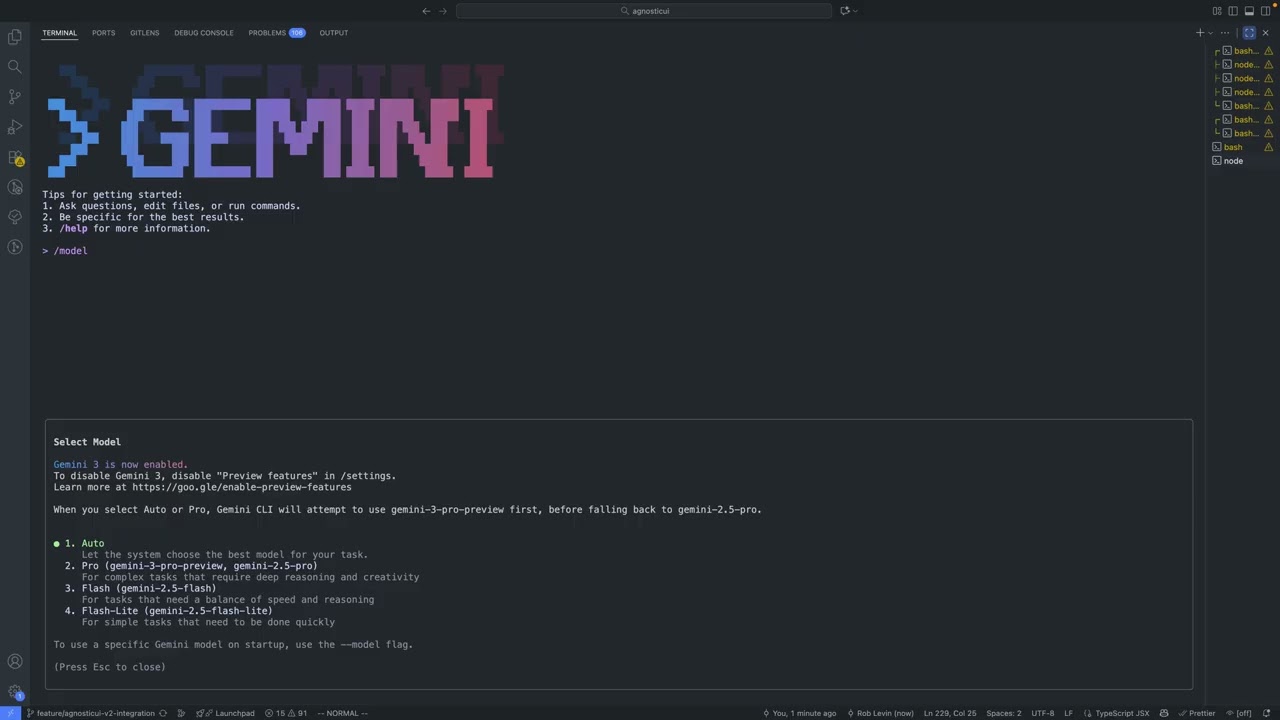
In this quick 2-minute tutorial, I show you how to enable Gemini 3 inside the gemini-cli. No long setup — just the exact steps you need to ensure gemini-cli will use the latest Gemini 3 model.
PLEASE NOTE: I learned after recording that in order to access Gemini 3 Pro through the Gemini CLI interface you will need a Google AI subscription at the Ultra level or a paid Gemini API key, along with an updated CLI and enabled preview features. Downloading their Antigravity IDE might be an alternative way to try out Gemini 3 if you’re blocked by this.
What this video covers:
How to enable preview features
Where to check available Gemini models
How to select Gemini 3
Quick test prompt to confirm it’s working
Perfect for anyone who wants to upgrade their gemini-cli workflow to Gemini 3 from right inside the gemini-cli interface.
#Gemini3 #geminicli #GoogleGemini #AItools #CLI #DevTools
source


